Anything a person can do on a computer, AI can now do.
Jaagaa Desk works your Mac the way you do — your apps, your browser, your files, your messages. You watch every step, take the mouse back whenever you like, and it asks before anything that matters.
Free · macOS 13 or later · Windows and Linux are next
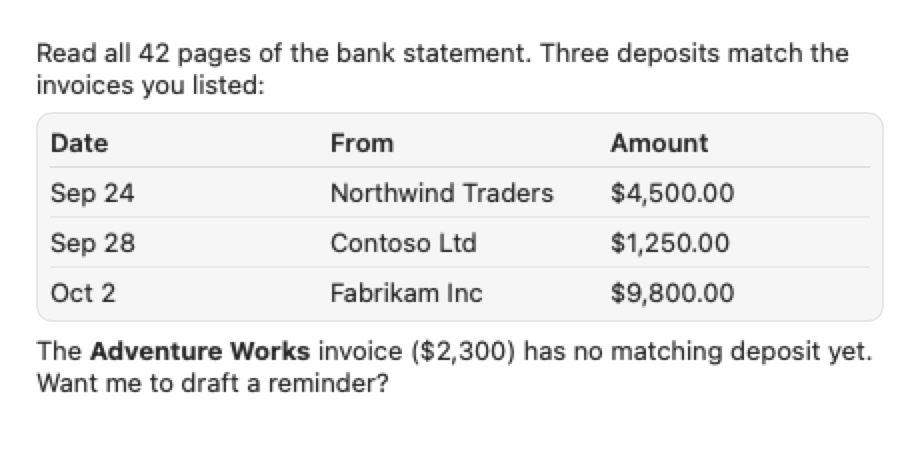
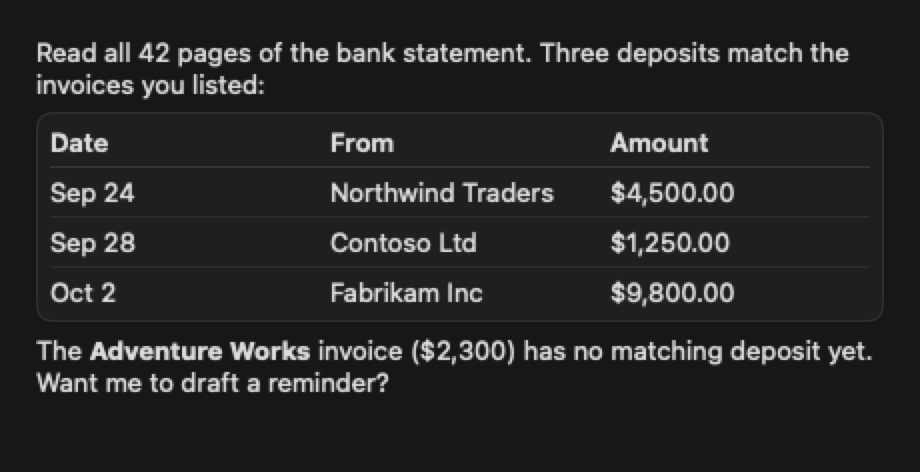
Match last month's deposits to the invoices in my Downloads.
- ✓ read_file statement-september.pdf find="Credit"
- ✓ read_file invoices.xlsx
- ✓ tab_read accounting — open invoices
No integrations
If it has a screen, it is already connected. Desk uses the same buttons and fields you do — in any app, on any site you are signed in to.
Data before pixels
Documents, spreadsheets and web pages are read as text. It looks at the screen only when it has to — faster, and a fraction of the cost.
Your model, your plan
Claude, ChatGPT through Codex, Gemini, any API key, or a model running on your own Mac. Screenshots go only to the model you chose.
Watch it work
Real runs, recorded as they happened.
One sentence, three apps
Asked to read an invoice, email it with the PDF attached, and tell the billing team on WhatsApp.
It read the PDF as text, wrote the email in Gmail, attached the file through the file picker, sent it, and posted the amount and due date to the team. Waiting time cut; the file picker shown 2.5× faster; a username blurred.
Agent to agent
Agents that work with other agents — on your terms.
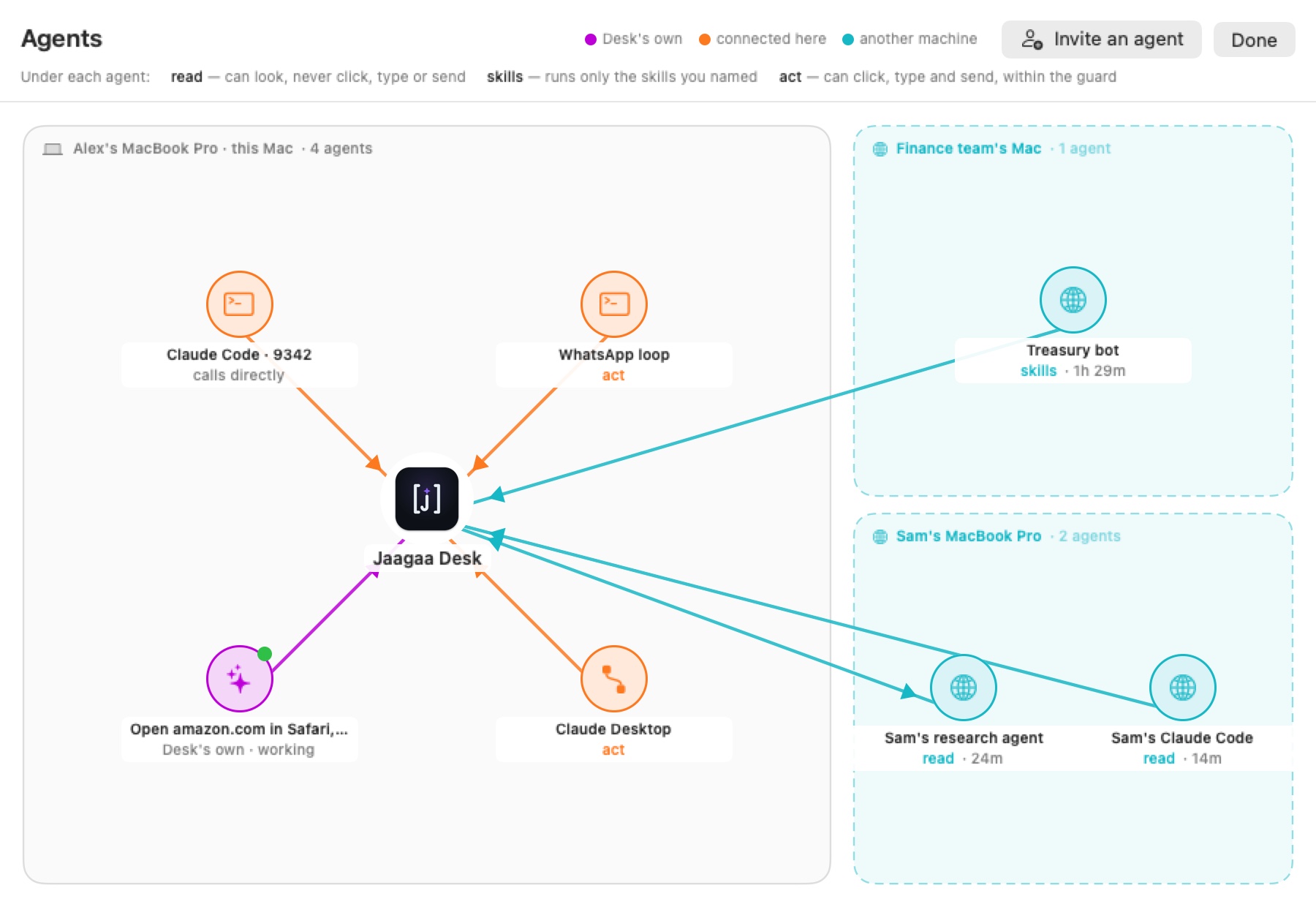
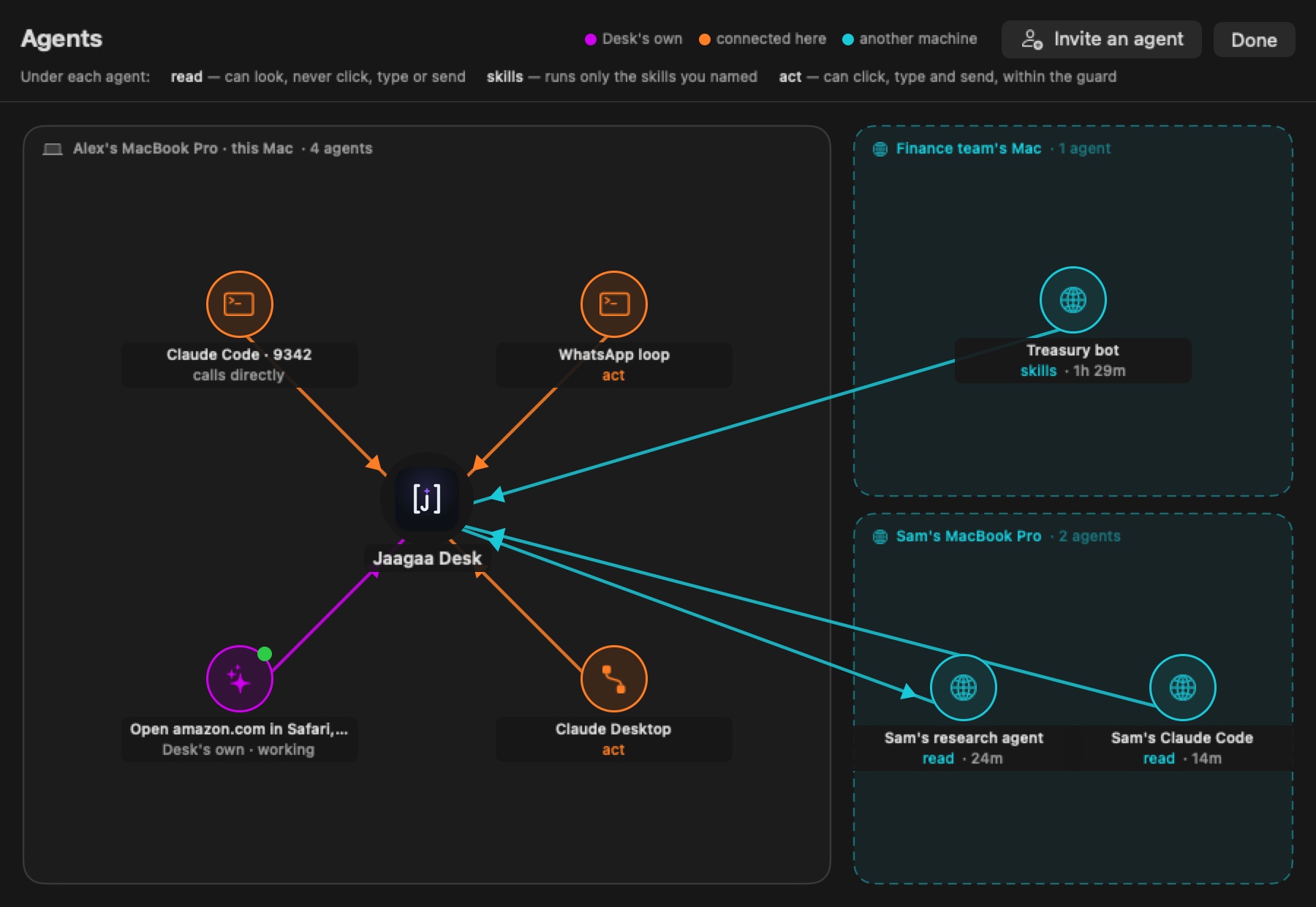
A colleague's research agent, your Claude Code, a finance team's bot on another machine: invite each one by itself, and say for how long and how far — read only, named skills, or hands-on. Every call is checked against those terms on your Mac, and one click ends it.
- An open standard
- Desk speaks A2A, the open agent-to-agent protocol, and MCP for tools. Nothing proprietary to adopt.
- Both ways
- Invited both ways, your Desk can ask the other agent back — and only while the invitation lasts.
- Any terminal agent
- Claude Code or Codex on another computer connects with a two-line bridge and sees your Desk as ordinary tools.
Skills
Show it once. It remembers how.
Do a task while Desk watches, and it writes down the steps as a skill — in words you can read and edit. Run it again by name, on a schedule, or let another agent run it, and nothing else.
#check-deposits
Every weekday at 9 · Read the bank statement, match it to open invoices, report what is missing.
#answer-members
Every 15 minutes · Read unread WhatsApp messages, look up each person’s record, reply or flag.
#weekly-report
Fridays · Pull the numbers from three dashboards into one sheet and send it to the team.
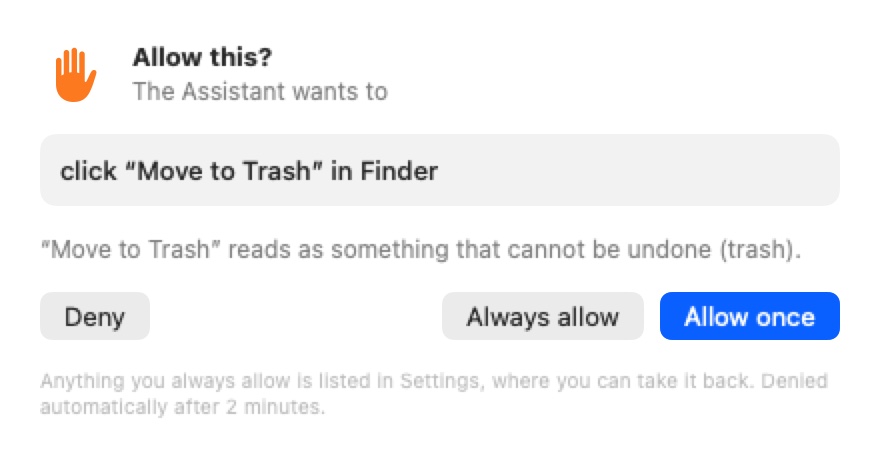
Safety
Careful by construction, not by promise.
- Every action passes a guard on your Mac first — whoever asked for it.
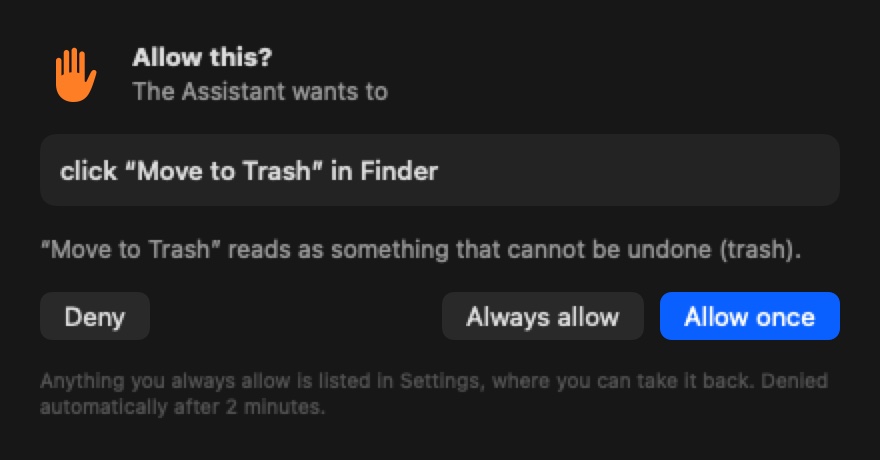
- Anything that deletes, pays, sends or signs out asks you.
- Touch the mouse and it stops. Let go, and it carries on.
- Passwords, keychains and security settings are off-limits.
- Everything is logged: who asked, what, and what you decided.